


Collaborate With Vendors on Purchase Orders, Without the Email Thread
Built for oilfield service crews in Wireline · Cementing · Pumping & frac · Well servicing · Workover · Completions · Water & SWD · Hauling · Facilities
Overview
The Vendor Portal gives every vendor and subcontractor you work with their own login, where they see the purchase orders you issued them, respond to them, and submit against them. The work happens in one place instead of across phone calls, inboxes and scanned paperwork.
Why a Vendor Portal Matters
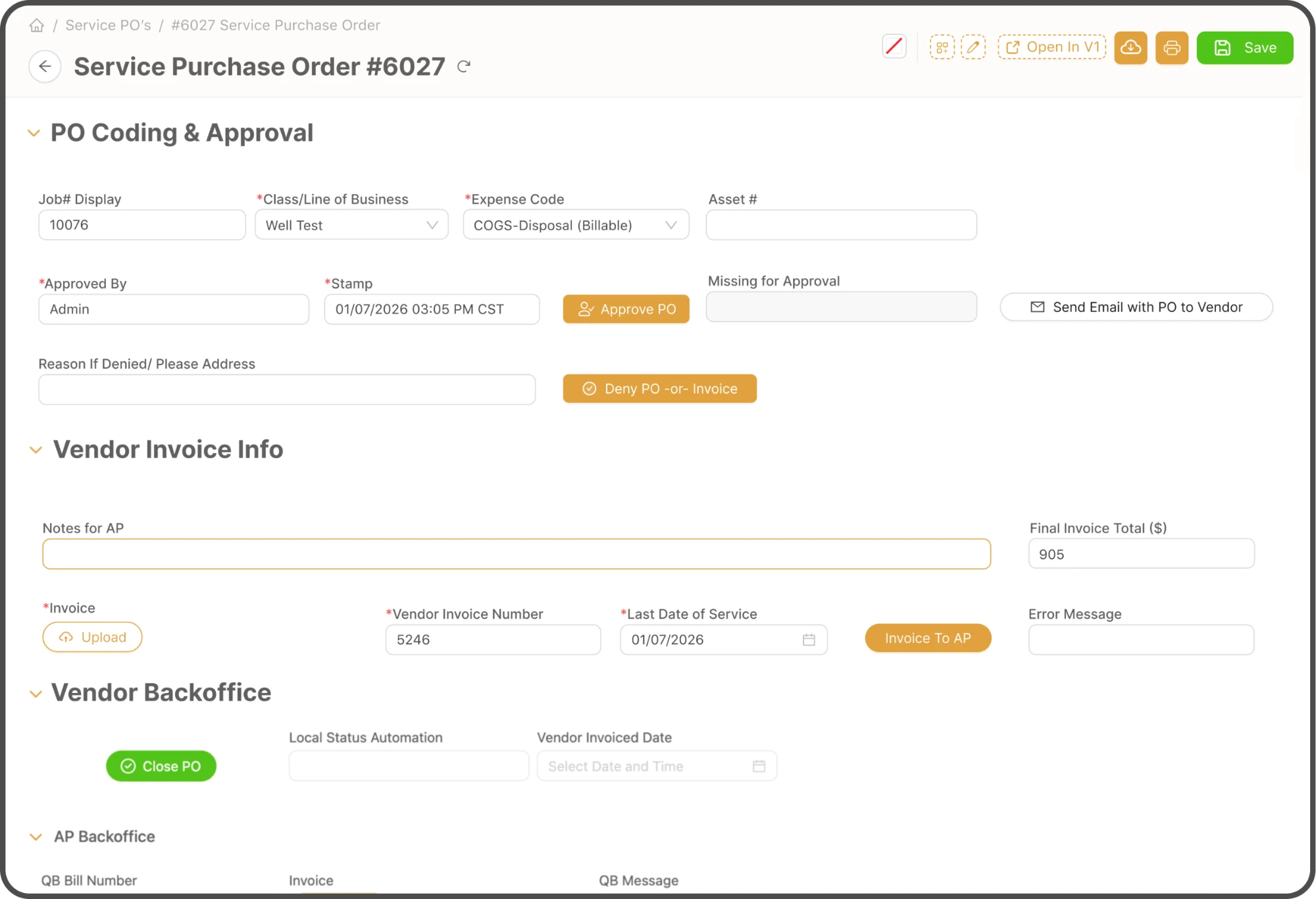
Chasing a vendor for an invoice, or a vendor chasing you for an approval, is work nobody bills for. When both sides see the same purchase order and its status, the chase disappears and the paperwork arrives in the shape your office needs.
Why Oilfield Companies Invest
in the Vendor Portal Module

A Login for Every Vendor
Each vendor company gets its own account, with its own users. Invite them and they work their first PO the same day.
Each Account Carries
- Its own users and passwords
- Only that vendor’s purchase orders
- Contact details the vendor keeps current
- A setup checklist for onboarding

Vendors See Only Their Own Work
A vendor sees the orders written to them and nothing else. Internal POs and other vendors stay out of sight.
Access Set Per User
- Tickets, contacts and reporting set apart
- Vendor forms kept apart from internal
- No sight of other vendors on the account
- Access withdrawn when someone leaves

Purchase Orders in One List
Orders arrive grouped by stage, so what needs a reply is obvious. Past orders stay one view away.
Stages a PO Moves Through
- Draft and request for proposal
- Open PO issued to the vendor
- Services received, then invoice received
- Closed, with past orders still to hand

Answers Come Back on the Order
Both sides act on the order itself rather than over email, and every reason given stays on the record.
Actions on Both Sides
- Vendor invoices against an open PO
- Vendor asks for an order to be withdrawn
- Your office denies a PO or invoice
- The reason denied stays on the record

Alerts That Reach the Right Side
Nobody logs in to find out something changed. Approvals reach the vendor, their requests reach your staff.
What Gets Sent
- PO approved and ready for receiving
- PO or invoice disputed, with the reason
- Withdrawal requests routed to your team
- The purchase order PDF attached

Line Items Your Books Recognise
Charges arrive as line items on the categories you already use, not as a number at the foot of a PDF.
How Charges Arrive
- SKU groups mapped by service category
- Vendor pricing held against the PO
- Categories your team keeps up to date
- Costs matched to the job they belong to
How the Module Works
- 1Step
Invite
Send the vendor their portal account and setup checklist
- 2Step
Scope
Set what each of their users can see and do
- 3Step
Issue
Write the purchase order and send it through the portal
- 4Step
Respond
The vendor accepts, questions or invoices against it
- 5Step
Receive
Your office receives the services and the invoice
- 6Step
Close
The PO closes with its costs already categorised
What You Get With the Vendor Portal Module
- A login for every vendor you work with
- Purchase orders and invoices in one shared place
- Visibility scoped to each vendor’s own records
- Approval and dispute alerts by email, with the reason attached
- Vendor line items against your own service categories
- An onboarding checklist and training page for new vendors
Results You Can Expect
- Fewer phone calls and forwarded emails chasing paperwork
- Vendors who know a PO was approved or disputed without logging in
- Invoices that arrive against the right purchase order
- Costs categorised when they arrive rather than at month end
- One record both sides can point at when something is queried
- Internal purchase orders that stay internal


Let’s connect
Reach out anytime!
Need assistance? Reach out to our customer support line.
(801) 755-8664Have a question? Fill out the form or reach out to our customer support email.
info@oilcommand.com