Feature Overview:
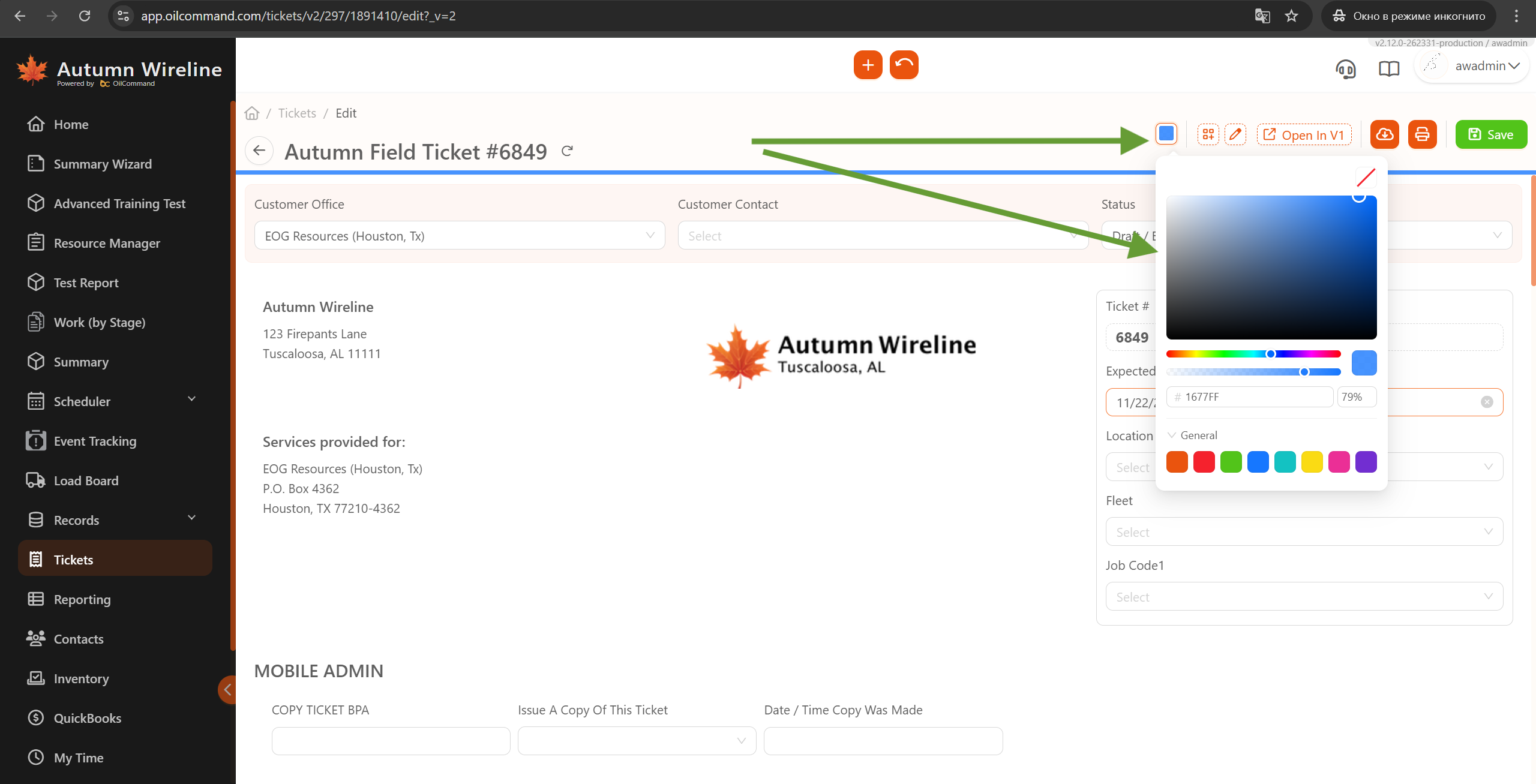
We’ve introduced a Color Picker feature in the Ticket View, allowing users to personalize their experience by adding an accent color to tickets and browser tabs. This enhancement improves ticket visibility and helps users align their workflow between online and offline tasks
Related Features:
Tickets
Features/Benefits:
Color Picker for Tickets
- Users can now select an accent color for tickets to improve visibility and categorization.
- The selected color will be applied as a highlighted line (3-6 pixels thick) on the ticket view.
- Any user with access to the ticket can update the color.
Browser Tab Accent Color
- The selected ticket color will also be reflected in the browser tab icon, helping users easily recognize and switch between tickets.
How It Works
- Open a ticket in Oil Command.
- Click the Color Picker option in the ticket view.
- Select a color to apply an accent line and update the browser tab icon.
- Changes are saved automatically and visible to all ticket participants



.svg)
.svg)