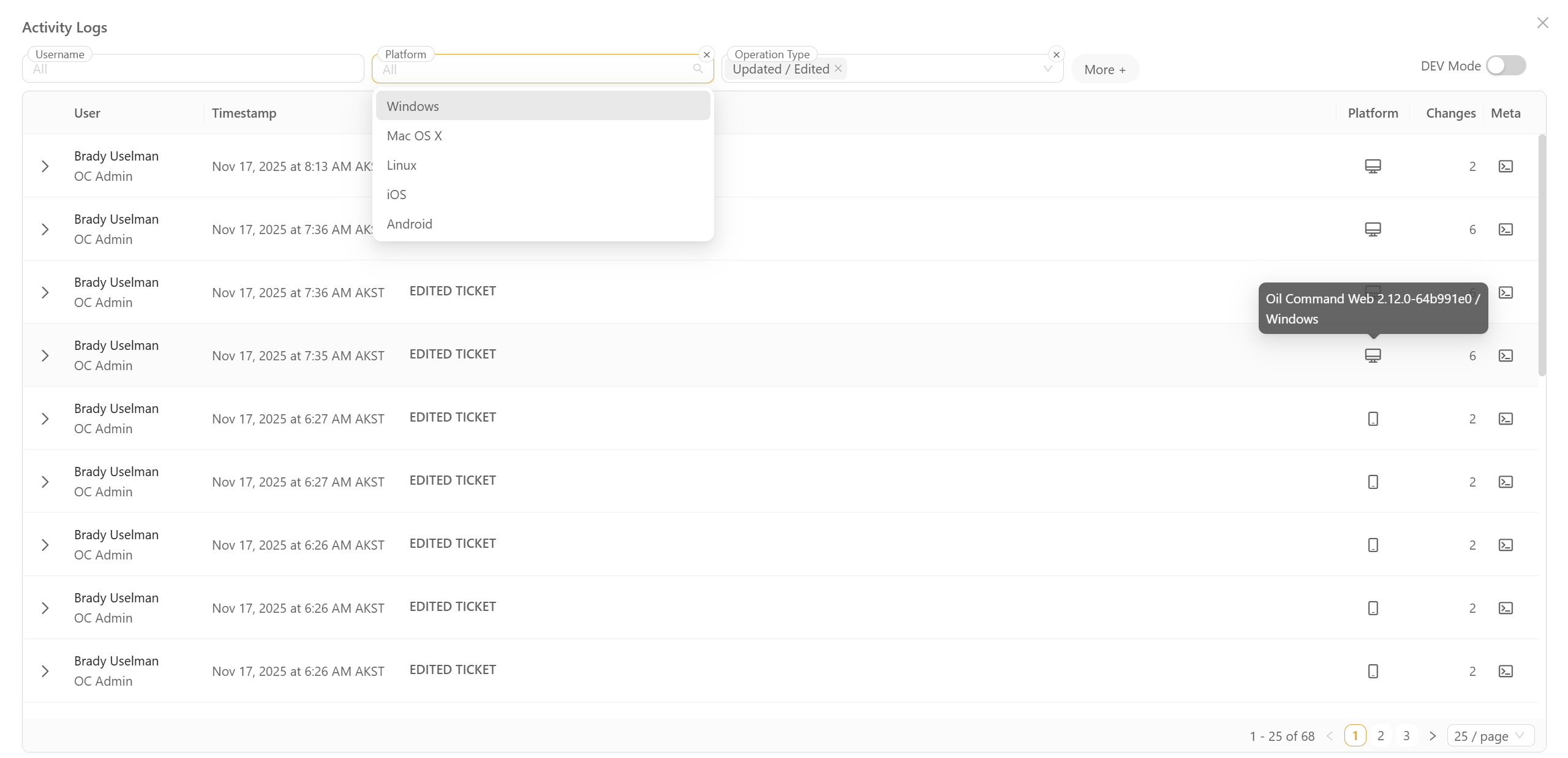
Feature Overview:
This update introduces a comprehensive Activity Log designed to provide full visibility into system changes. The new interface allows for the monitoring of record updates, field changes, and script edits through a centralized, filterable hub. This ensures complete accountability and simplifies the process of reviewing historical changes for compliance or troubleshooting purposes.
Related Features:
- User Management & Roles
- Script Editor / Versioning
- System Audit Settings
Features/Benefits:
- Granular Change Tracking - Captures all system actions including script edits, record updates, and field-level changes in a structured table.
- Visual Diff Engine - A side-by-side "Original vs. Changed" view with color-coded highlighting (Red/Green) for effortless code and JSON auditing.
- Deep Metadata Inspection - Access technical details like OS and Browser versions for faster troubleshooting and compliance reporting.
- Advanced Filtering & Search - Quickly narrow down logs by specific users, timeframes, or event types using intuitive typeahead and free-text search.
- High-Performance UI - Features a sticky-header table with server-side pagination, ensuring smooth navigation even through thousands of log entries.
How It Works:
- Navigate to the Recent Activity page.
- Use the Search bar at the top to find specific events by username, or use filters.
- Click the Expand icon on any row to view the "From → To" action details and operation type.
- Click the View button within an expanded row to open the Compare Modal for a line-by-line code diff.
- Click Meta → Show to open a popover with the raw JSON metadata for technical analysis or to copy transaction details.
Note: Support Users also have “DEV Mode“ toggle, so they can see all changes in more compact view.



.svg)
.svg)