Overview
We’ve introduced new flexibility in Custom Form settings and Purchase Order workflows, making it easier for users to manage company selection and vendor assignments without manual intervention.
What’s New
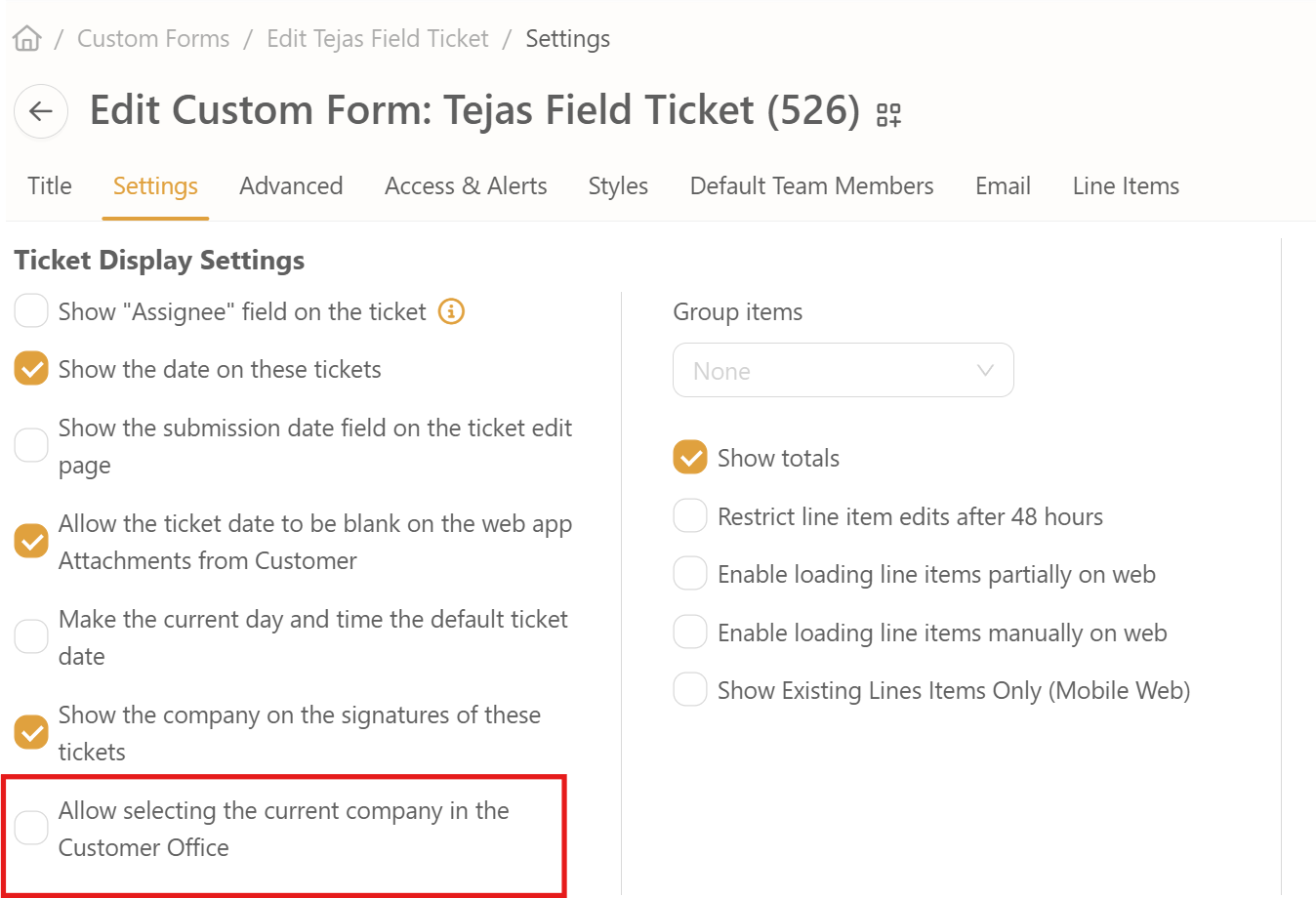
- New Setting: “Allow Selecting the Current Company in the Customer Office”
- A new toggle has been added to Custom Form Settings.
- When enabled (True): Users can select the current company in the Customer Office dropdown
- When disabled (False): The current company cannot be selected.
- If the flag is changed after a company has already been unselected, the record remains unaffected and continues to function correctly.
- Vendor Self-Selection for Purchase Orders
- Users can now select their own company as a Vendor when creating Purchase Orders.
- This enhancement simplifies internal vendor linking and removes dependency on admin intervention.
Why This Matters
- Reduces setup friction by allowing companies to manage their own vendor relationships.
- Increases flexibility and transparency when configuring Customer Office settings.
How It Works
- Go to Settings → Custom Form Settings.
- Locate the new “Allow selecting the current company in the Customer Office” toggle.
- Enable or disable it as needed.
- In the Purchase Orders section, users can now select their own company as a Vendor if the new rule allows it.








.svg)
.svg)