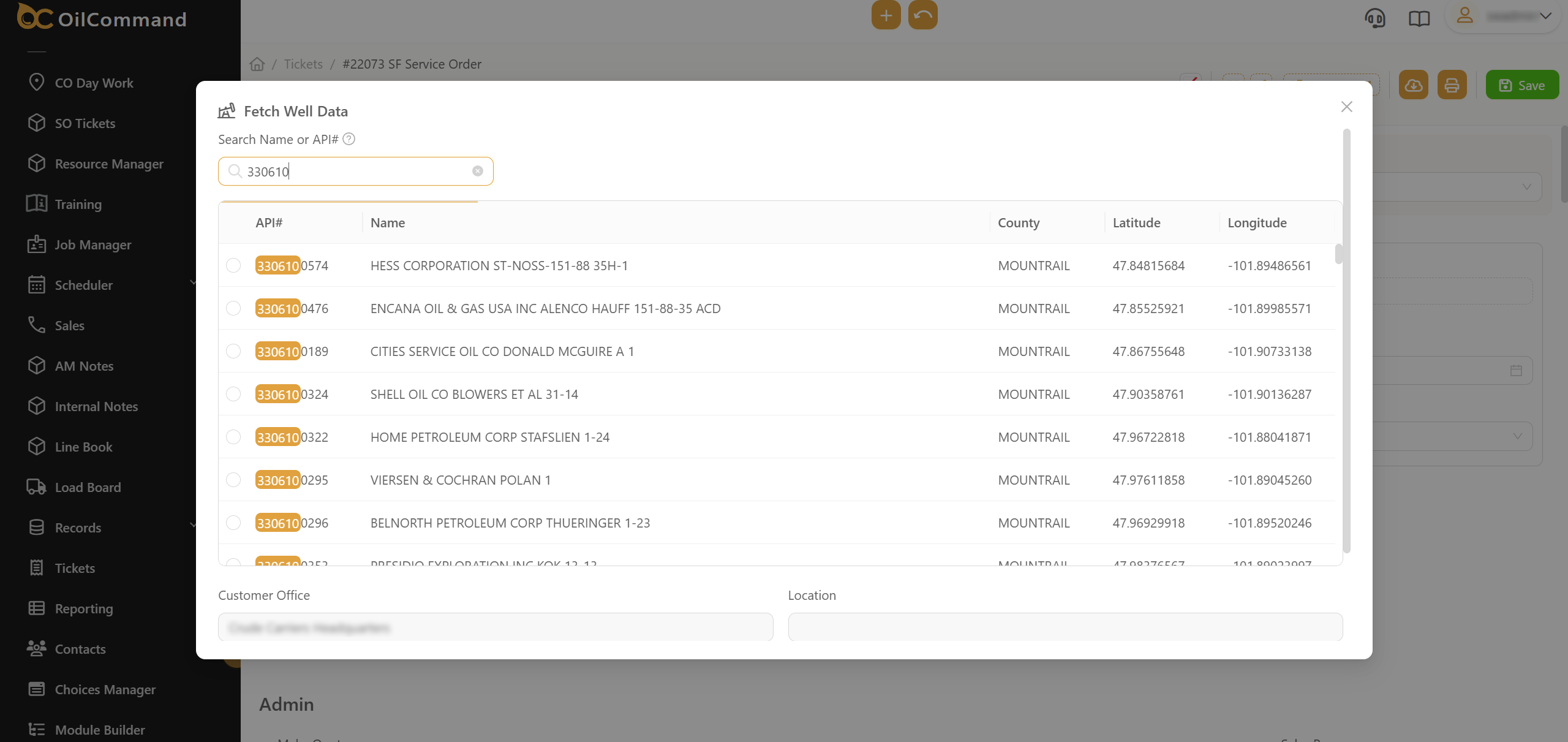
Feature Overview:
This update enhances the well search functionality by allowing dispatchers and field users to search using extended API numbers. This ensures quicker, more precise access to well data, even when partial or non-standard formats are entered.
Related Features:
- “Fetch Well Data” scripted button
- Service Order Well Assignment
Features/Benefits:
- Extended API Format Support – Users can now search for wells using both full and partial API numbers, including non-standard formats.
- Faster Well Matching – The system intelligently matches search input to available wells, making selection easier.
- Improved Dispatcher Efficiency – Dispatchers spend less time locating well info, speeding up order entry.
- Error Reduction – Reduces mismatch or incorrect well selections due to unclear or truncated API input.
How It Works:
- Open Service Order ticket or any other Custom Form’s ticket where wells are linked.
- Click on the [Fetch Well Data] button.
- Enter the full or partial API number in the search bar.
- The system displays all matching results, highlighting relevant metadata (County, Latitude/Longitude, etc.).
- Select the correct well and confirm.



.svg)
.svg)