Purpose
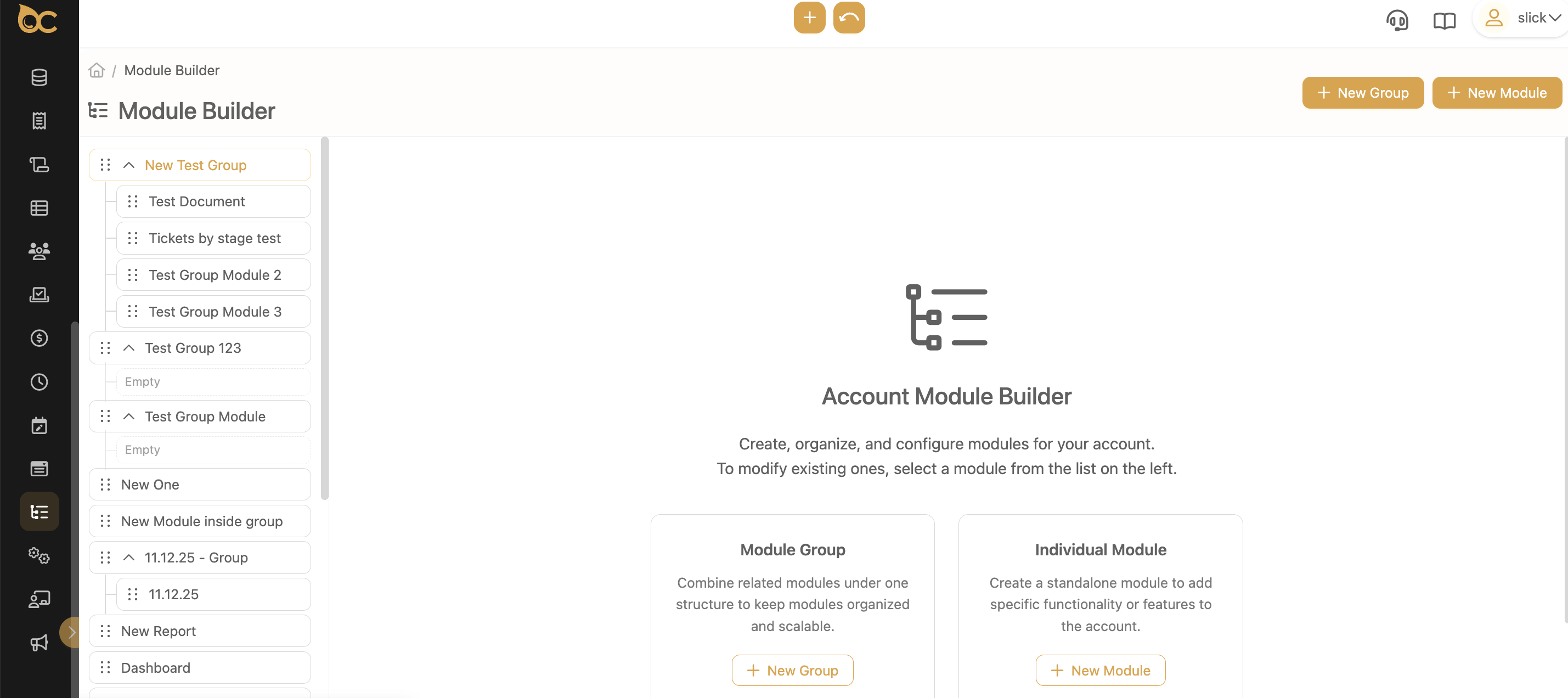
We have improved the Module Builder to make it easier for Support and Account Admin users to organize modules, group them, and navigate large setups without confusion.
These updates help you manage your account structure faster and with fewer steps.
What’s New
1. A Cleaner and Easier-to-Use Sidebar
The sidebar now shows Module Groups with their modules arranged underneath them.
What’s improved:
- Clearer organization
- Groups and modules can be expanded or collapsed
- Better highlighting when selecting items
- Empty groups are now visually indicated
- The sidebar stays organized even after you reload the page
How this helps:
- You see the full structure at a glance
- It’s easier to find what you’re looking for
- No more guessing which modules belong to which group
2. Drag & Drop for Easy Reordering
You can now rearrange your modules by simply dragging them.
You can:
- Move modules up and down inside a group
- Move modules from one group to another
- See where the module will be placed before you drop it
- Keep the new arrangement even after leaving the page
How this helps:
- Organize your modules the way you want
- Quickly clean up an account with many modules
- Make account setup and onboarding smoother
3. Simpler Module Group Creation
Creating Module Groups is now more user-friendly.
What’s new:
- A simple modal to add a new group
- Helpful “first time” messages when you create your first group or first module inside a group
- After creating a group, the page immediately switches to the editing screen
How this helps:
- You always know what your next step is
- New users won’t get lost during setup
- Groups are easy to create and manage
4. “Module Group” is Now an Official Module Type
You can now create groups as part of your module structure and organize related modules under them.
What this includes:
- Groups that can contain multiple modules
- Ability to open and close groups in the sidebar
- Simple navigation inside grouped modules
- Permission control for who can see or edit groups
How this helps:
- Makes large accounts easier to manage
- Keeps related modules together
- Reduces visual clutter
How It Works Now
- Go to Module Builder.
- Create a Module Group — it appears right away in the sidebar.
- Add modules to the group or drag existing modules into it.
- Your changes remain saved every time you come back.
Outcome
These improvements make the Module Builder:
- Easier to navigate
- Simpler to organize
- More friendly for new and experienced users
- Better suited for large, complex accounts
You can now manage modules and groups with far less effort, and everything is much easier to understand at first glance.








.svg)
.svg)